HelpYour bots
Memory
Bots remember the useful things they learn as you work together: who people are, how you like things done, what a project is about. You can see, add, change or remove any of it.
How bots remember
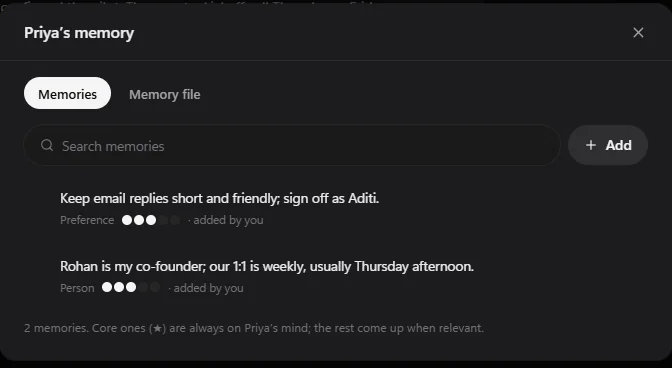
As you work, a bot saves things worth keeping, like "Rohan is my co-founder" or "keep email replies short". It merges near-duplicates by itself. When a memory is relevant to what it's doing, it comes to mind.
The latest few show in the bot's Details panel under Memory. Choose Manage to see them all.
Add and change memories
- Choose Add to write one yourself. Each memory has a kind (fact, preference, person, project, procedure or event) and an importance from 1 to 5 dots.
- Core memories (★, or 5 dots) are always on the bot's mind. Hover over a memory and choose Pin as core or Unpin.
- Choose Forget to remove one. It waits in Recently deleted for 30 days.
The memory file
The Memory file tab shows the whole memory as one text document you can edit and Save file, Download, or fill with Add from file (a .md or .txt file). Saving the file replaces the bot's memory with what's in it.
Memories from deleted bots
When you delete a bot and choose to keep its memory, those memories wait under From other bots. Use Move here or Move all to give them to another bot.
Still stuck? Open Support from your account menu in the app, or email hello@henchkin.com. We usually reply within a day.